AI Agent Builder
The AI Agent Builder is a generative tool designed to accelerate the creation of autonomous AI Agent. By providing requirements through a conversational interface, the builder automates the labor-intensive task of architecting an autonomous AI Agent, including system prompts, function mapping, and data-capture logic.
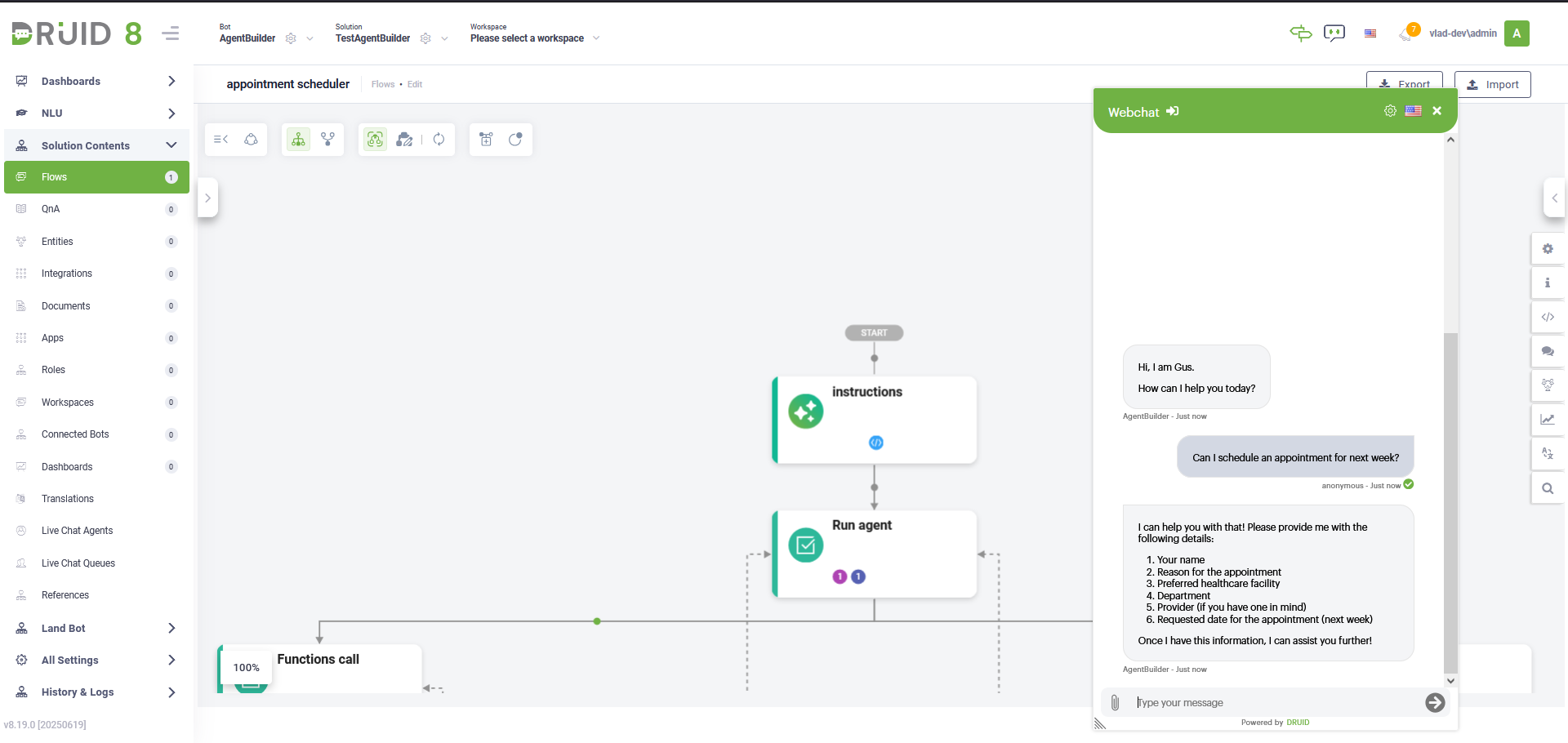
While the AI Agent Builder significantly reduces development time by generating a functional autonomous AI Agent blueprint, it requires additional configuration to become production-ready.
Before You Start
To ensure the AI Agent Builder generates a high-fidelity blueprint, define these technical pillars beforehand:
- Agent persona. Define the expert role and behavioral boundaries (e.g., "Tier 1 Support Specialist").
- Tool inventory. Identify the pre-configured Druid functions the AI Agent must access.
- Information gathering. List the specific entities the agent must collect (e.g., Email, Order ID).
- Validation logic. Determine the criteria for verifying user inputs.
Create an AI Agent
To initiate the automated generation process:
- Go to your solution flows.
- Click the Create Agentic Flow button in the top-right corner of the Flows page. The Agent Builder chat opens.
- Provide instructions for the agent, either via text or conversational. Describe its goal and any specific behavior.
- Specify what tools the agent should use and what each tool is responsible for.
- Define the user information to be gathered and any required validations.
- Review the summary , and then confirm to create the AI Agent.
The AI Agent Builder automatically assembles the following core components within the new agentic flow:
- Instructions (Agentic step). Contains the configuration of the persona, system prompt, and tool inventory.
- Run agent step. The engine that manages the autonomous reasoning and execution cycles.
- Conversational branch. Handles dialogue for clarification and data gathering.
- Function call branch. Contains the function handlers for authorized tool execution.
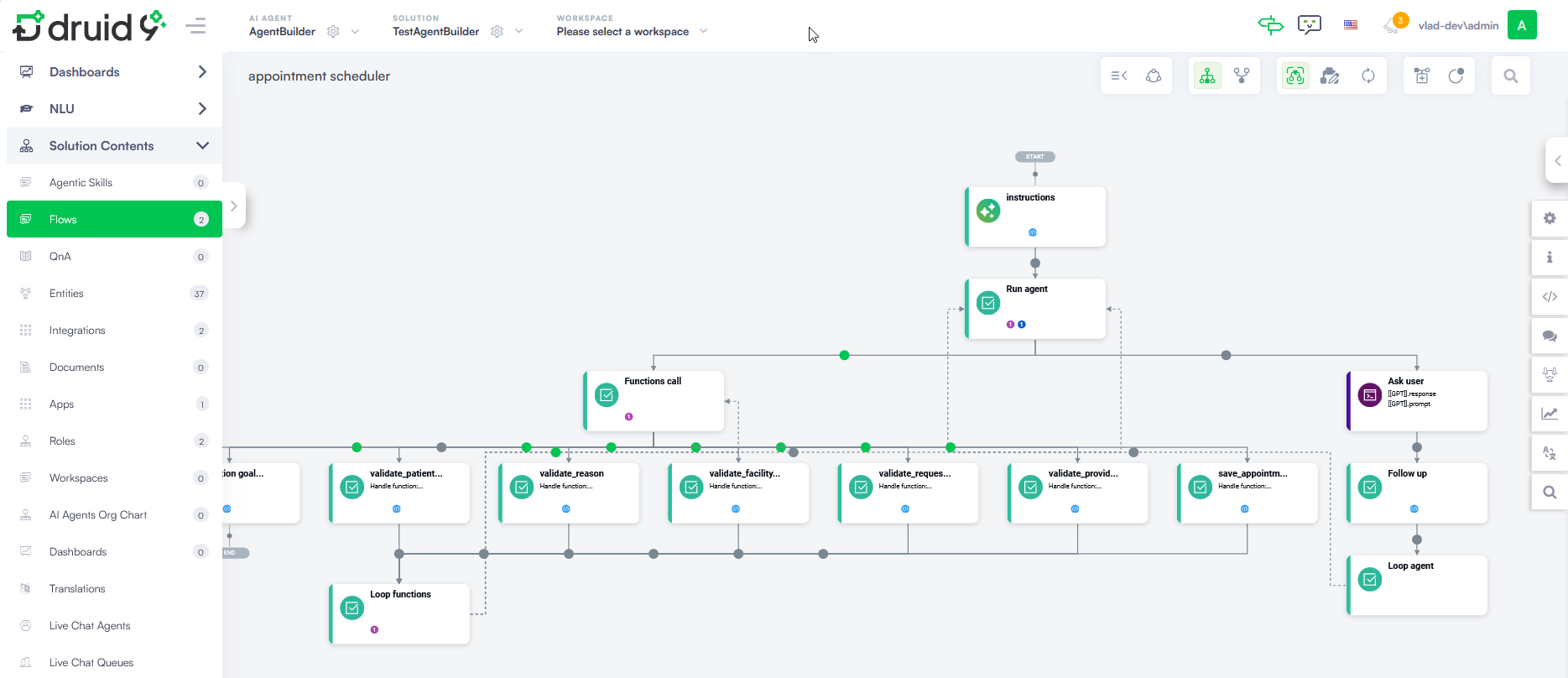
Make the AI Agent production-ready
While the AI Agent Builder significantly accelerates the development cycle, the resulting AI Agent blueprint is not immediately production-ready. To reach a live deployment state, you must manually finalize the app connections, review the validation logic, and verify the model selection.
The Run agent integration automatically selected is one of the Large Language Model (LLM) integrations defined on the [[GPT]] entity. You must ensure the chosen model supports tooling and function calling; this is critical for the AI Agent to effectively interpret your instructions and utilize the functions you've provided.
Additionally, if you are deploying to voice channels, you should enable LLM response streaming in the Run agent step settings to ensure natural voice interactions. For more information, see Use LLM Response Streaming for Voice Interactions.
 Related Topics